
Don't download a new app just yet — your home wallet may already work in China. AlipayHK / WeChat Pay HK (Hong Kong), PayPal / Venmo (US), GCash (Philippines) and more can scan Chinese merchant QR codes directly. Run this three-step check to find your fastest option:
- Step 1: Check the lookup table below — can your wallet scan my merchant QR code directly?
- Step 2: If not, install Alipay or WeChat Pay before your trip and bind an international card (see binding steps below)
- Step 3: Don't want real-name verification / no Chinese number? Try TenPayGo (iPhone, email signup)
Tip: whichever route you pick, set it up and test a small payment before your flight. Airport Wi-Fi can be spotty.
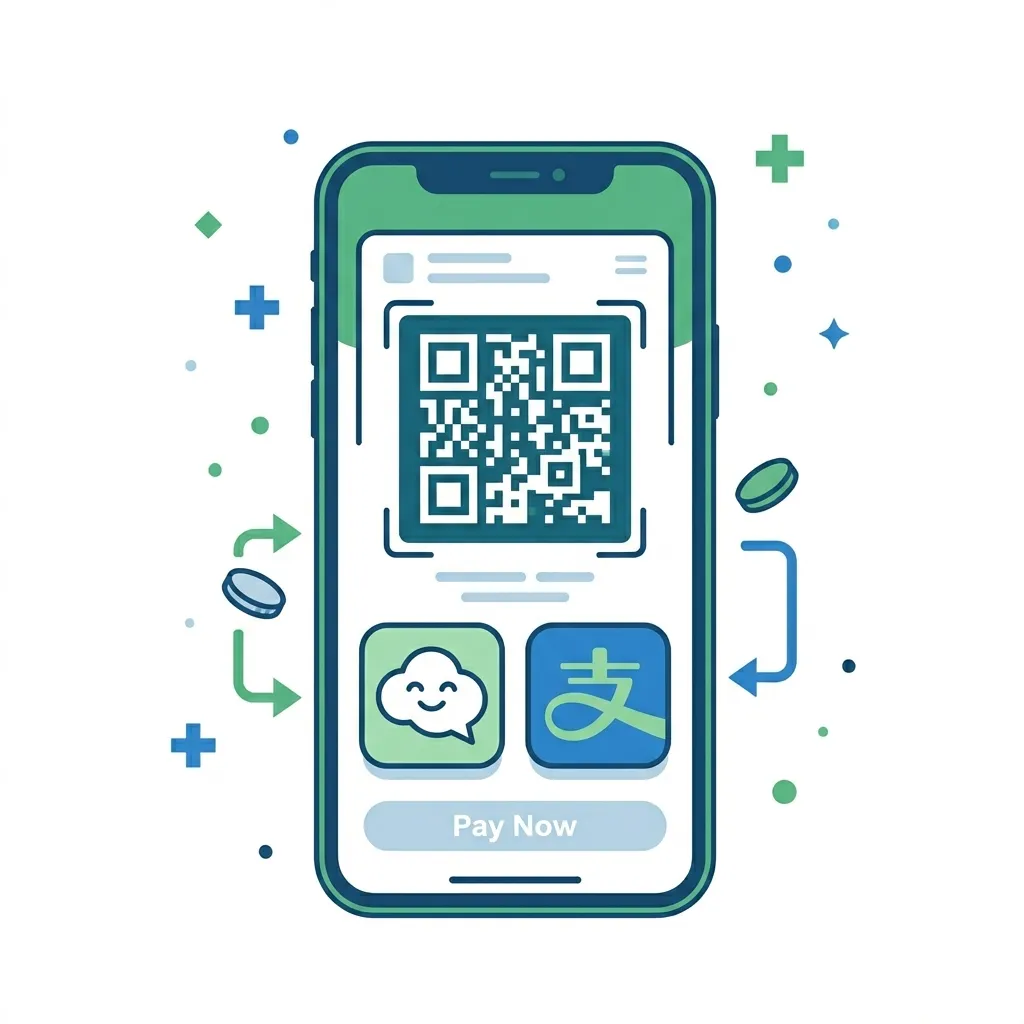
Quick check: Does your wallet work in China?
"Home wallets, inbound use" — foreign wallets scanning Chinese merchant QR codes directly: no new app, no real-name verification. The list keeps growing (verified August 2026); I'll re-confirm before your visit.
| Country/Region | Scan WeChat merchant codes | Scan Alipay merchant codes | Best option |
|---|---|---|---|
| Hong Kong | WeChat Pay HK, PayMe & more | AlipayHK | Zero setup — just scan |
| United States | PayPal, Venmo | PayPal / Venmo on WeChat codes | |
| South Korea | Naver Pay, Toss & more | Kakao Pay, Naver Pay, Toss | Both networks work |
| Japan | PayPay not supported | Switch to a bound card or TenPayGo | |
| Thailand | KPlus & more | KPlus | KPlus works on both |
| Philippines | Maya (pending) | GCash | GCash on Alipay codes |
| Malaysia | Boost & more | Touch 'n Go | Touch 'n Go / Boost |
| Europe (Italy) | PayPal (US only for now) | Tinaba | Tinaba on Alipay codes |
| Other countries | Mostly not yet | Switch to a bound card or TenPayGo |
Works directly | Partial / pending official launch | Not supported. The list keeps expanding — always defer to what your app shows. Large medical bills may hit per-transaction limits (see FAQ below). My merchant code is an aggregated QR (WeChat Pay + Alipay dual channel); I'll run a small test payment for you before any large transaction.
Bind an International Card: Alipay
If your wallet isn't in the lookup table above, install Alipay before your trip. It's the standalone payment app by Ant Group — the easiest setup for foreign visitors, and it doesn't require a Chinese phone number.
Step 1 — Download & Register
Download Alipay from the App Store or Google Play (search "Alipay")
Open the app and register with your international mobile number
Verify via SMS code — done
Step 2 — Bind Your Card
Go to Me → Bank Cards → Add Card
Enter your card details — Alipay supports Visa, Mastercard, JCB, Diners Club, and Discover
Complete the verification (usually a small test charge or SMS confirmation from your bank)
Step 3 — Pay
Two ways to pay:
You scan them: Tap "Scan" and point your camera at the merchant's QR code
They scan you: Tap "Pay" to show your QR code, and the cashier scans it
Limits & fees
Current published limits for international cards: ¥6,000 per transaction / ¥50,000 per month / ¥60,000 per year. A 3% fee applies to transactions over ¥200 — new-user offer: for 60 days after your first card binding, up to ¥1,000 per day is fee-free. Always defer to the app.
English support: +86-571 2688 6000
Bind an International Card: WeChat Pay
WeChat is China's super-app — messaging, social media, payments, everything. If you plan to communicate with anyone in China (doctors, hotel staff, Arthur ), having WeChat is almost essential anyway. WeChat Pay is built right in.
Step 1 — Download & Register
Download WeChat from the App Store or Google Play
Register with your international mobile number
Step 2 — Enable Wallet & Bind Card
Go to Me → Services → Wallet → Bank Cards
Add a card — WeChat supports Visa, Mastercard, American Express, JCB, Diners Club, and Discover
Complete the verification as prompted
Step 3 — Pay
Same two methods as Alipay — scan the merchant's QR code, or show yours.
WeChat vs Alipay — which one?
If you can only pick one: Alipay is slightly easier for pure payments. If you also need to chat with local contacts: WeChat does both. Many people in China use both, so having either one works fine.
Backup: Cash & ATM
China is overwhelmingly cashless — most small vendors, taxis, and even street food stalls only take QR codes. But cash still works at larger stores, hotels, and restaurants. Here's how to get some if you need it:
ATM Withdrawal
- Look for ATMs with Visa / Mastercard / UnionPay logos
- Insert your card, select English, withdraw RMB
- Most ATMs at banks (ICBC, ABC, BOC, CCB) and airports accept foreign cards
Currency Exchange
- Exchange foreign cash at bank branches or self-service kiosks (look for the currency exchange sign)
- Bring your passport — it's required for exchange
Honest take: You probably won't need much cash. Plenty of travelers go entire trips without touching a single bill. But having ¥200-500 in your pocket as a backup never hurts — especially for small medical clinics that might not have QR scanners.
Confirm your payment works
No need to wait until you land — try it right now: scan my aggregated merchant QR code below with Alipay / WeChat (or a home wallet marked ✅ in the table above) and see whether your wallet recognises it and opens the payment page. Once you're in Shenzhen, complete one small real payment and you're fully set — hospitals, convenience stores, restaurants all work.
For in-China use only

After scanning, you'll see
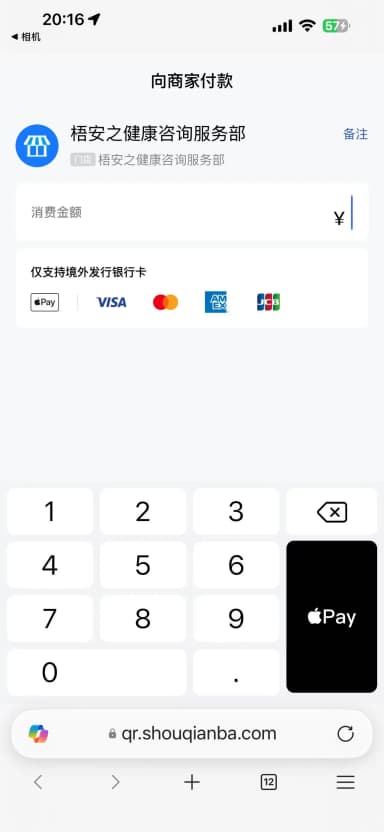
Hit a snag while scanning? Send me the error message or a screenshot and I'll help you figure out which step failed.
WhatsApp ArthurTenPayGo: No Real-Name Verification, No Chinese Number
Tencent launched TenPayGo on the App Store on June 28, 2026 — a standalone payment app designed for international visitors to China. It leverages the WeChat Pay merchant network, allowing you to scan QR codes and pay directly with international cards, no cash or change needed.
How it compares to WeChat Pay:
| WeChat Pay | TenPayGo | |
|---|---|---|
| WeChat download required | Yes | No |
| China phone number required | Yes | No (email signup) |
| Real-name verification required | Yes | No |
| Binding method | International credit card | International credit card / Apple Pay |
| Usage scenarios | WeChat Pay merchants | WeChat Pay merchants (tens of millions nationwide) |
| Fees | ~1-3% | Free for ≤¥200; 3% for >¥200 |
| Supported card networks | Visa/MC/AE etc. | Visa/MC/AE/JCB/Diners/Discover (no UnionPay) |
TenPayGo currently supports iPhone only, with an English-only interface, and is still iterating quickly (see the live card above for the latest version). Supported card networks include Visa, Mastercard, American Express, JCB, Diners Club, and Discover. UnionPay international cards are NOT supported.
Fees: transactions of ¥200 or less are free; transactions over ¥200 incur a 3% per-transaction fee. If you hold a Hong Kong or overseas Visa/Mastercard credit card, TenPayGo is a new option worth trying.
For Longer Stays: Open a Local Bank Account
If you're staying for a while or making multiple trips, you can open a bank account at any major Chinese bank with your passport:
- ICBC, Agricultural Bank, Bank of China, CCB, Bank of Communications — all accept foreign passports
- This gives you a local debit card, which you can then bind to Alipay / WeChat for higher transaction limits
- Also enables: deposits, transfers, currency exchange, cross-border remittance
24h hotline for account services: +86-10-956196
Bonus: Digital RMB (数字人民币)
If you're curious, China also has a central bank digital currency called e-CNY. You can download the 'Digital RMB' app and try it out — it's available in pilot cities including Shenzhen, Beijing, Shanghai, and most major urban areas.
Note: e-CNY is still in pilot phase and may not work everywhere. Alipay / WeChat are your safe bets.
Official Sources
Alipay English support: +86-571 2688 6000
WeChat English support: +86-95017
UnionPay (云闪付): +86-95516
Heads up: