📖 本文繁體中文翻譯進行中。如需協助,請聯繫 Arthur 查詢繁體版本。
快速了解
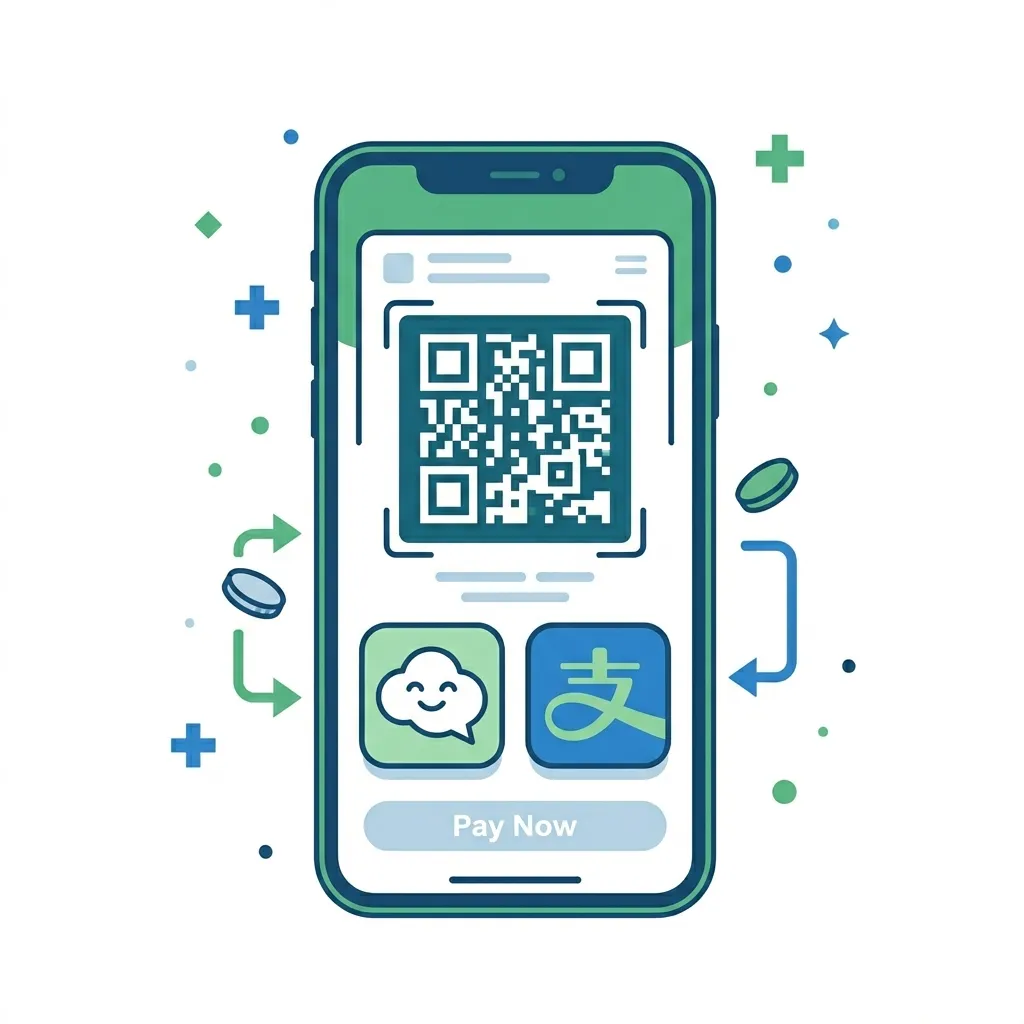
You have two realistic options: Alipay or WeChat Pay. Both now support binding international Visa / Mastercard / JCB cards. Pick one (or both), download the app, bind your card, and you're good to go. Once you're in Shenzhen, you can also scan my merchant QR codes directly — no setup needed on your end.
- Alipay — easier standalone setup, works without a Chinese phone number
- WeChat Pay — doubles as your messaging app (everyone in China uses WeChat)
Tip: Set this up before your flight. Airport Wi-Fi can be spotty.

Option A: Alipay (支付宝)
Alipay is the standalone payment app by Ant Group. It's the most popular choice for foreign visitors because the setup is straightforward and doesn't require a Chinese phone number.
Step 1 — Download & Register
- Download Alipay from the App Store or Google Play (search "Alipay")
- Open the app and register with your international mobile number
- Verify via SMS code — done
Step 2 — Bind Your Card
- Go to Me → Bank Cards → Add Card
- Enter your card details — Alipay supports Visa, Mastercard, JCB, Diners Club, and Discover
- Complete the verification (usually a small test charge or SMS confirmation from your bank)
Step 3 — Pay
Two ways to pay:
- You scan them: Tap "Scan" and point your camera at the merchant's QR code
- They scan you: Tap "Pay" to show your QR code, and the cashier scans it
Limits to know
Single transaction: ~¥200 equivalent. Annual cumulative: ~¥10,000 equivalent. These limits have been gradually increasing — check the app for your specific card's limits.
English support: +86-571 2688 6000
Option B: WeChat Pay (微信支付)
WeChat is China's super-app — messaging, social media, payments, everything. If you plan to communicate with anyone in China (doctors, hotel staff, Arthur 😄), having WeChat is almost essential anyway. WeChat Pay is built right in.
Step 1 — Download & Register
- Download WeChat from the App Store or Google Play
- Register with your international mobile number
Step 2 — Enable Wallet & Bind Card
- Go to Me → Services → Wallet → Bank Cards
- Add a card — WeChat supports Visa, Mastercard, American Express, JCB, Diners Club, and Discover
- Complete the verification as prompted
Step 3 — Pay
Same two methods as Alipay — scan the merchant's QR code, or show yours.
WeChat vs Alipay — which one?
If you can only pick one: Alipay is slightly easier for pure payments. If you also need to chat with local contacts: WeChat does both. Many people in China use both, so having either one works fine.
English support: +86-95017
Backup: Cash & ATM
China is overwhelmingly cashless — most small vendors, taxis, and even street food stalls only take QR codes. But cash still works at larger stores, hotels, and restaurants. Here's how to get some if you need it:
ATM Withdrawal
- Look for ATMs with Visa / Mastercard / UnionPay logos
- Insert your card, select English, withdraw RMB
- Most ATMs at banks (ICBC, ABC, BOC, CCB) and airports accept foreign cards
Currency Exchange
- Exchange foreign cash at bank branches or self-service kiosks (look for the currency exchange sign)
- Bring your passport — it's required for exchange
Honest take: You probably won't need much cash. I've seen tourists go entire trips without touching a single bill. But having ¥200-500 in your pocket as a backup never hurts — especially for small medical clinics that might not have QR scanners.
Confirm your payment works
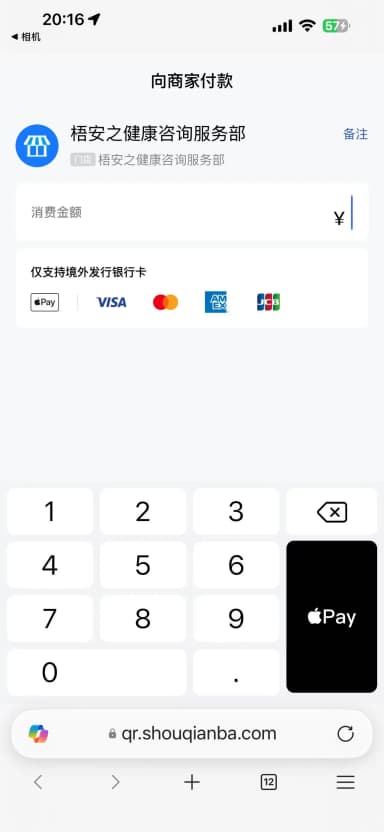
Once you arrive in Shenzhen, scan the QR code below with Alipay / WeChat — just like you would at any store. If the payment screen loads, your card is bound correctly and you're ready to pay for everything from hospital bills to street food.
⚠️ This QR code is for in-China testing only — same as scanning any merchant code at a store.
Paying from abroad? If you need to pay for a second opinion or service deposit while still outside China, I'll send you a payment request (收款单) via WeChat or Alipay — this is the compliant way for overseas users to make remote payments.
For in-China use only

After scanning, you'll see

🔮 New Option: TenPayGo
数据搜集日期:2026年7月12日(TenPayGo v1.0.1,仍处于内测阶段)
Tencent launched TenPayGo on the App Store on June 28, 2026 — a standalone payment app designed for international visitors to China. It leverages the WeChat Pay merchant network, allowing you to scan QR codes and pay directly with international cards, no cash or change needed.
How it compares to WeChat Pay:
| WeChat Pay | TenPayGo | |
|---|---|---|
| WeChat download required | ✅ Yes | ❌ No |
| China phone number required | ✅ Yes | ❌ No (email signup) |
| Real-name verification required | ✅ Yes | ❌ No |
| Binding method | International credit card | International credit card / Apple Pay |
| Usage scenarios | WeChat Pay merchants | WeChat Pay merchants (tens of millions nationwide) |
| Fees | ~1-3% | Free for ≤¥200; 3% for >¥200 |
| Supported card networks | Visa/MC/AE etc. | Visa/MC/AE/JCB/Diners/Discover (no UnionPay) |
TenPayGo currently supports iPhone only (v1.0.1) with an English-only interface, and is still in a limited testing phase. Supported card networks include Visa, Mastercard, American Express, JCB, Diners Club, and Discover. UnionPay international cards are NOT supported.
Fees: transactions of ¥200 or less are free; transactions over ¥200 incur a 3% per-transaction fee. If you hold a Hong Kong or overseas Visa/Mastercard credit card, TenPayGo is a new option worth trying.
⚠️ Note: TenPayGo is still in beta — features and fees may change without notice. Start with small amounts (under ¥200) to test before relying on it as your primary payment method.
For Longer Stays: Open a Local Bank Account
If you're staying for a while or making multiple trips, you can open a bank account at any major Chinese bank with your passport:
- ICBC, Agricultural Bank, Bank of China, CCB, Bank of Communications — all accept foreign passports
- This gives you a local debit card, which you can then bind to Alipay / WeChat for higher transaction limits
- Also enables: deposits, transfers, currency exchange, cross-border remittance
24h hotline for account services: +86-10-956196
Bonus: Digital RMB (数字人民币)
If you're curious, China also has a central bank digital currency called e-CNY. You can download the 'Digital RMB' app and try it out — it's available in pilot cities including Shenzhen, Beijing, Shanghai, and most major urban areas.
Note: e-CNY is still in pilot phase and may not work everywhere. Alipay / WeChat are your safe bets.
Official Sources
Payment Guide for Foreign Visitors
Official guide by the People's Bank of China (gov.cn)
Payment Video Tutorials
Video tutorials for mobile payment setup
Alipay English support: +86-571 2688 6000
WeChat English support: +86-95017
UnionPay (云闪付): +86-95516
Heads up: Payment policies in China change frequently. The information above reflects the official guide published in March 2024. Transaction limits and supported card types may have been updated since then. Always check the Alipay / WeChat app for the latest details on your specific card.